
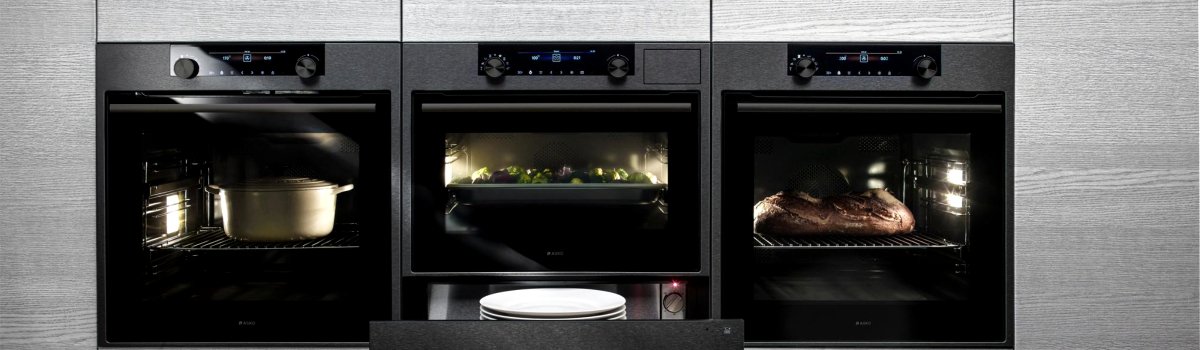
If your Asko oven suddenly displays the ERR2 error code, don’t panic. This code specifically points to a problem with the meat thermometer, an essential component that ensures your food is cooked to the right temperature. Without a properly functioning meat thermometer, your cooking results may be inconsistent, and dishes might end up undercooked or overcooked.
In this guide, we’ll break down what the ERR2 error means, why it happens, how to fix it yourself, and ways to prevent it from recurring.
What the ERR2 Error Means
The ERR2 code is triggered when the meat thermometer fails to provide accurate readings. This thermometer monitors the internal temperature of your food and sends that information to the oven’s control system. If the sensor is damaged or disconnected, the oven cannot rely on it, and the ERR2 code appears.
Common signs of this malfunction include:
- Oven stopping mid-cooking cycle
- Incorrect temperature readings
- Food being undercooked or overcooked
- The thermometer probe not registering any temperature at all
Understanding this is the first step in troubleshooting and resolving the issue quickly.
Why the Meat Thermometer Malfunctions
There are a few reasons your Asko oven might show the ERR2 code:
- Physical damage to the thermometer: Broken wires, bent probes, or a damaged sensor can prevent proper readings.
- Loose connection: Sometimes the thermometer probe is not inserted correctly or the connection inside the oven is loose.
- Calibration drift: Over time, the thermometer may lose accuracy, leading the oven to detect an error.
- Electronic fault: Rarely, the oven’s control board may misinterpret the thermometer signal as a failure.
Understanding the root cause will help you decide whether a simple DIY fix is possible or if a replacement part is necessary.
DIY Solutions for ERR2
Before calling a professional, there are several steps you can try at home.
Check for Visible Damage
- Inspect the thermometer probe for bends, cracks, or broken wires.
- Make sure the connector is clean and securely attached.
- If you notice obvious damage, replacing the thermometer is often the safest choice.
Reset the Oven
- Turn off your oven at the circuit breaker or unplug it for a few minutes.
- Power it back on and see if the error clears.
- Sometimes, temporary glitches trigger the ERR2 code, and a reset can fix it.
Calibrate the Meat Thermometer
- Consult your user manual for calibration instructions.
- Follow the steps carefully to adjust the thermometer reading.
- Accurate calibration can prevent false ERR2 errors and improve cooking results.
Replace the Meat Thermometer
- If the error persists after the above steps, the thermometer may need replacement.
- Refer to your Asko manual for the correct replacement part and safe installation instructions.
- Replacing the thermometer ensures your oven continues to cook food accurately.
Preventive Measures
Once your ERR2 error is resolved, you can take a few simple steps to prevent it from happening again:
- Always handle the thermometer probe carefully to avoid bending or breaking it.
- Clean the thermometer according to the manufacturer’s instructions; avoid abrasive cleaning tools.
- Periodically check the thermometer’s connection and functionality.
- If your oven allows calibration, perform it regularly to maintain accuracy.
Following these preventive steps will keep your Asko oven running smoothly and reduce the likelihood of future errors.
Final Thoughts
The ERR2 error code can be frustrating, but it’s usually straightforward to diagnose and fix. By inspecting the thermometer, resetting your oven, calibrating, or replacing the sensor, you can get your oven back to precise cooking performance. Regular care and preventive maintenance will help you avoid similar issues in the future, keeping every meal perfectly cooked.